
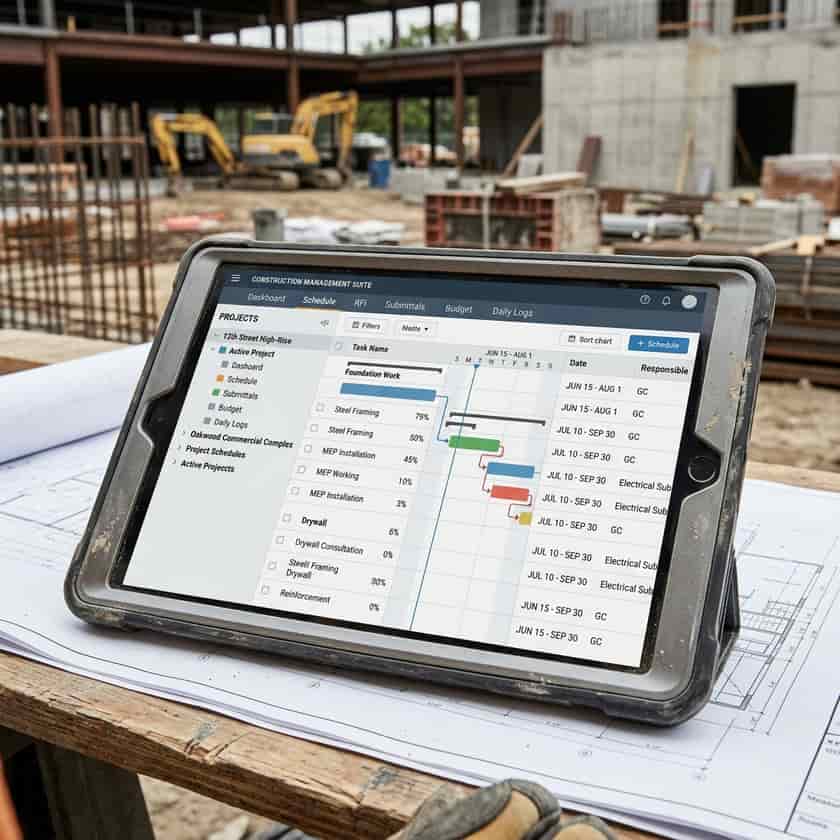
The construction industry is rapidly digitizing, making the search for effective project management software more than just an operational upgrade—it is a competitive necessity. Whether you are managing small residential renovations or overseeing large commercial developments, the right software stack can bridge the gap between planning and execution. The challenge for many firm owners, however, is not the lack of options, but the sheer volume of them. Navigating the marketplace requires a disciplined approach, focusing less on flashy features and more on specific operational workflows that need automation or improvement within your existing team structure.
Assessing Your Firm's Operational Needs
Before browsing software demos, it is essential to conduct an internal audit. Many businesses make the mistake of choosing software based on its popularity or marketing, only to find it does not align with their specific operational DNA. Start by mapping out your current project lifecycle, from the initial bid and estimating phase to procurement, on-site execution, and final project closeout. Identify bottlenecks where information typically gets lost or where administrative time is disproportionately high. Are your field crews struggling with outdated drawing sets? Is your office team drowning in change order tracking? Identifying these pain points dictates the features you actually require.
- Estimating and Bidding: How manual is your current takeoff process?
- Project Scheduling: Do you rely on static spreadsheets or dynamic scheduling?
- Document Control: How are RFI and submittal logs managed?
- Field Communication: What is the lag time between a field issue and an office decision?
- Financial Integration: Does your software communicate with your accounting system?
Comparing Software Capabilities
Once you have defined your requirements, you can categorize software options into tiers. Some platforms function as 'all-in-one' enterprise resource planning (ERP) systems, designed to handle everything from human resources and payroll to complex job costing and BIM (Building Information Modeling). Others are 'best-of-breed' solutions that specialize in a specific niche, such as takeoff software, scheduling tools, or punch-list management. For smaller companies, an all-in-one approach might introduce unnecessary complexity and cost. Larger firms, conversely, may struggle with fragmented systems that do not integrate properly. Understanding this balance is the difference between a tool that empowers your team and a platform that becomes a burden.
| Type | Primary Focus | Best For | Complexity |
|---|---|---|---|
| Point Solutions | Specific task (e.g., estimating) | Small teams/specialists | Low |
| Project Management | RFIs, submittals, schedules | General Contractors | Medium |
| Full ERP | Accounting, payroll, HR, PM | Large Construction Firms | High |
| Field-First Apps | Punch lists, daily logs | Field superintendents | Low |
Prioritizing Ease of Use and Mobility
Construction software is ultimately only as good as the data entered into it, and data entry happens on the job site. If a platform is not intuitive or lacks a robust mobile interface, field personnel will avoid using it, leading to 'shadow systems'—where teams revert to paper logs, whiteboards, or unmanaged spreadsheets. Prioritize platforms that offer offline capabilities, as remote job sites often have inconsistent cellular connectivity. The mobile application should be stripped down to the essentials: taking photos, signing off on daily logs, and viewing the latest drawings. If the user experience requires a steep learning curve, the risk of low adoption increases significantly.
Implementation and Change Management
Purchasing the software is merely the first step; implementation is where most firms fail. A successful rollout requires buy-in from leadership and clear champions within the project teams. Do not attempt to roll out every feature on day one. A phased approach is usually superior: start by moving project communication, such as RFIs and submittals, onto the new platform, then layer in scheduling or estimating after the team has adjusted. Invest heavily in training sessions that focus on the specific workflows your team uses daily, rather than generic demonstrations. Remember that you are not just changing software; you are changing how your people work.
- Appoint an internal 'champion' to answer questions.
- Pilot the software on a single, low-stakes project first.
- Mandate the use of the platform for specific tasks only.
- Establish a clear feedback loop to document bugs or process friction.
- Allocate budget for continuous training throughout the year.