
The Role of Software in Modern Construction
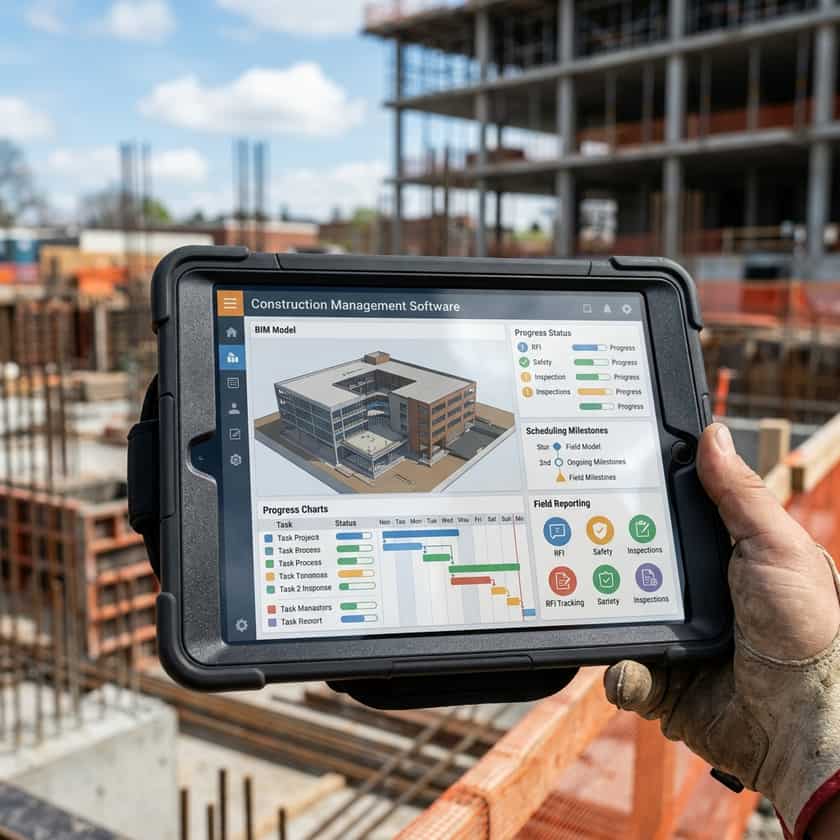
The construction industry is shifting away from manual processes, spreadsheets, and fragmented communication. Today, construction management software acts as the central nervous system for projects of all sizes. By consolidating scheduling, budgeting, document control, and field reporting into a single platform, firms can drastically reduce errors and improve collaboration between architects, engineers, contractors, and owners. Understanding that a one-size-fits-all solution does not exist is the first step. Success depends on selecting a tool that integrates seamlessly with your existing field workflows while providing the scalability needed for your company’s future growth and technological integration.
Core Features to Evaluate
When assessing potential software, you must prioritize features that solve your specific operational pain points. Many platforms offer a wide array of modules, but more features do not necessarily equate to better outcomes if the software becomes too cumbersome for field teams to use effectively. Key modules to look for include real-time RFI tracking, submittal management, mobile-first daily logging, and robust financial reporting. The ability to pull data directly from site observations into cost-tracking systems is particularly valuable, as it bridges the gap between field activities and back-office accounting, ensuring that project estimates remain accurate throughout the construction lifecycle.
- Cloud-based accessibility for both desktop and mobile devices.
- Version control for blueprints and construction documents.
- Automated notifications and workflow triggers for approval processes.
- Integration capabilities with accounting software (like QuickBooks or Sage).
- Permission settings to control access levels for subcontractors.
- Offline functionality for remote jobsites with poor connectivity.
Standardization and Data Integrity
Software implementation is rarely just about the technology; it is about establishing a standardized language for your projects. In professional construction, data consistency is paramount. Whether you are tracking gross floor area or managing material specifications, software helps enforce internal standards that prevent cost overruns and compliance failures. Many industry-recognized standards, such as those related to measurement methodologies (like DIN 277) or telecommunications infrastructure (like DIN 18015), often serve as benchmarks within robust construction software. By configuring your software to align with these international or regional standards, you ensure that every stakeholder is calculating project variables in the same way, minimizing confusion during audits and final handovers.
| Standard/Benchmark | Primary Application | Software Utility |
|---|---|---|
| DIN 277 | Area Measurement | Automated floor area calculations |
| DIN 18015 | Telecommunications | Infrastructure documentation tracking |
| Building Codes | Safety/Compliance | Real-time checklist verification |
| ISO Standards | Quality Control | Audit trail and document history |
Implementing Software Successfully
Selecting the right tool is only half the battle; the implementation phase is where most companies struggle. Resistance to change is common, especially among long-time field personnel who are accustomed to paper-based processes. To mitigate this, consider a phased rollout rather than an all-or-nothing approach. Start by migrating one department or one specific project type to the software. Appoint a 'super-user' within your team who can act as an internal champion and trainer. This individual should be responsible for answering day-to-day questions and troubleshooting simple issues, which reduces reliance on the software vendor’s external support and speeds up adoption rates across the entire organization.
Cost vs. Benefit Analysis
When building a business case for new software, look beyond the initial subscription fee. True cost evaluation includes training time, data migration efforts, and potential downtime during the transition. However, the benefits often outweigh these upfront investments. By automating manual data entry, your project managers reclaim hours previously spent on clerical tasks, allowing them to focus on high-value activities like vendor negotiations and safety management. Furthermore, the reduction in project delays caused by miscommunication—often a primary source of budget bloat—typically pays for the software license within a few project cycles. Treat software not as an expense, but as a capital investment in operational efficiency.
Staying Future-Ready
The construction technology landscape evolves rapidly. Artificial intelligence, Building Information Modeling (BIM), and drone integration are becoming standard features in many platforms. As you evaluate your options, ensure the provider has a clear roadmap for future updates. A stagnant software platform can hold your business back as the rest of the industry progresses. Look for companies that actively solicit user feedback and release regular updates that integrate emerging technologies. Scalability is key; the software you choose today should be flexible enough to handle the larger, more complex projects you plan to undertake in the next three to five years.