
The Purpose and Value of a Centralized Family Calendar
Modern households operate much like small organizations. Between staggered work schedules, school timetables, doctor visits, sports practices, social gatherings, and domestic maintenance, coordinating daily life requires structured oversight. Without a coordinated plan, families often default to fragmented communication, relying on spontaneous text messages, verbal reminders given in passing, or individual memories. These informal habits routinely lead to forgotten appointments, double-bookings, and unnecessary domestic stress.
Keeping a shared family calendar establishes a single operational source of truth. When every household member knows where to check and where to record upcoming commitments, mental friction drops dramatically. A centralized schedule eliminates the assumption that one person holds all household logistics in their head. Instead, it promotes shared accountability, transparent expectations, and predictable daily routines. Whether your home consists of two working adults or a busy multi-generational household, an intentional scheduling system brings stability and clarity to shared living.
Evaluating Systems: Digital, Physical, and Hybrid Approaches
Choosing the right framework is the initial step in organizing family schedules. Households typically succeed by adopting one of three models: digital calendars, physical visual boards, or a hybrid combination. Each approach has distinct strengths depending on the ages of family members and their familiarity with personal technology.
Digital calendar platforms—such as Google Calendar, Apple iCloud Family Sharing, or specialized apps like Cozi and TimeTree—offer maximum flexibility. They sync in real time across multiple mobile devices, provide automated notifications, and allow users to attach addresses, documents, and driving directions directly to event entries. Digital setups are particularly effective for households with working parents and older children who carry their own smartphones.
Physical calendars, including wall-mounted whiteboards, magnetic acrylic planners, or large paper grids, provide continuous visual prominence. Mounted in high-traffic zones such as the kitchen or near the entryway, they remain visible without requiring anyone to open an application. Physical boards are particularly beneficial for visual learners and younger children who do not have personal digital devices.
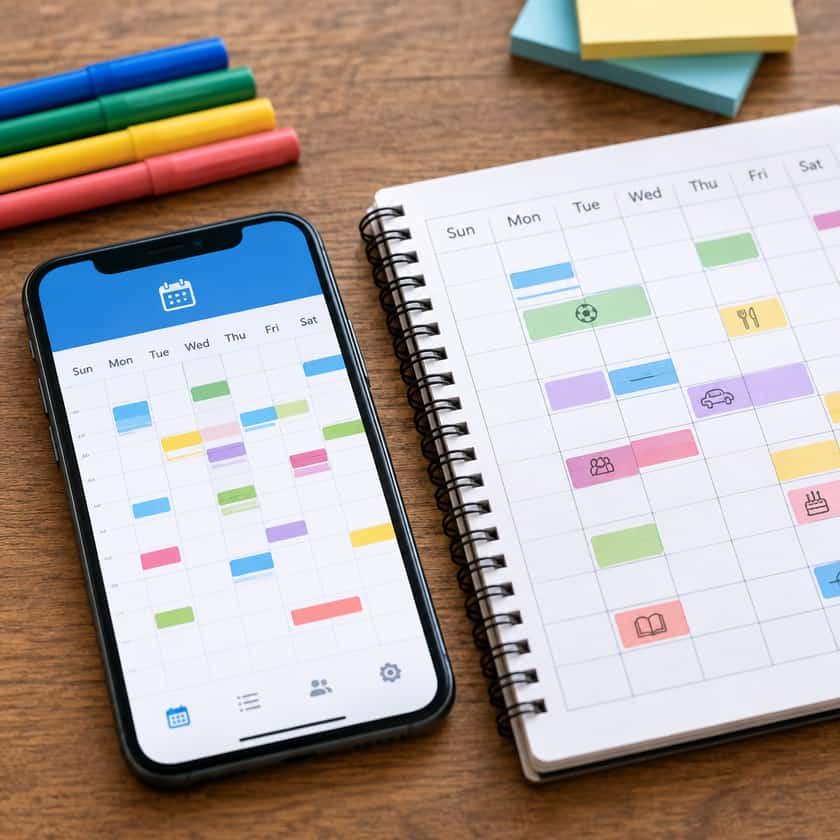
A hybrid system blends these two methods by using a master digital calendar for long-term planning and automated reminders, while displaying the immediate weekly schedule on a physical board in the home. The following comparison highlights how these models function across core operational criteria:
| System Type | Primary Advantages | Common Limitations | Best Suited For |
|---|---|---|---|
| Digital Only | Instant syncing, automated notifications, accessible anywhere | Requires screen access; out of sight when devices are put away | Households with teenagers and working adults |
| Physical Only | High visibility, screen-free, easily understood by young children | Static location, lacks mobile alerts, limited space per day | Families with young children or fixed daily routines |
| Hybrid Setup | Combines mobile accessibility with visible domestic displays | Requires deliberate updating to keep both formats aligned | Busy families balancing young kids and active external commitments |
Structuring Calendar Entries for Clarity and Accountability
Adopting a tool is only half the battle; maintaining consistency depends on predictable entry formats. If entries are vague or haphazardly recorded, household members will lose trust in the system. Implementing a few fundamental conventions ensures every entry provides actionable information at a glance.
1. The Anatomy of an Actionable Entry
Avoid writing one-word placeholders like "Soccer" or "Dentist." A complete calendar event should communicate who is involved, where it takes place, and what logistics are required. A reliable entry format includes:
- Participant Identifiers: Specify which family member is participating (e.g., "[Maya] Orthodontist Appointment").
- Logistical Responsibility: Clearly note who handles transportation or supervision (e.g., "[Maya] Orthodontist - Dad driving").
- Specific Location: Include the facility name or physical address so driving times and navigation can be calculated directly from the event.
- Travel Buffers: If an appointment requires thirty minutes of travel each way, account for that transit window on the calendar rather than only booking the appointment time itself.
2. Standardized Color-Coding
Color coding offers immediate visual distinction, allowing family members to scan the week in seconds. Assign a distinct color to each person in the home, along with an additional color reserved exclusively for whole-family commitments such as holidays, home repairs, or shared meals. Keep the palette consistent across all digital accounts and physical markers to avoid visual confusion.
3. Establishing the "Rule of Record"
A calendar system works only if the household agrees on a firm rule: If an event is not on the shared calendar, it does not officially exist. Relying on verbal confirmations creates blind spots. By agreeing that unscheduled events do not hold priority over documented commitments, families encourage everyone to log their plans promptly.
Overcoming Common Operational Hurdles
Even well-organized households encounter friction when unexpected circumstances arise. Addressing logistical edge cases early prevents the calendar from falling into disuse.
Handling Recurring and External Schedules
School districts, athletic leagues, and community groups frequently issue their own calendar feeds. Manually typing every practice or school holiday into a calendar creates unnecessary work and introduces human error. Most digital systems allow you to subscribe directly to external web-based calendar links (.ics feeds). Subscribing ensures that league-wide weather cancellations or school schedule adjustments update automatically on your family view without manual intervention.
Managing Tentative Events
Invitations, pending work shifts, and potential travel dates can clutter a calendar before plans are confirmed. Create a uniform method for marking non-finalized events. In digital platforms, use the title tag "[TENTATIVE]" or assign tentative items to a muted gray color category. In physical planners, write pending events in pencil. Once details are finalized, update the status to the standard format.
Dividing Transportation and Caregiving Duties
Disagreements often arise not over where a child needs to be, but over who is responsible for taking them there. Whenever an activity involves drop-off and pick-up logistics, list the responsible adult directly in the title or notes field. If a handoff occurs—for example, one parent drops off and another picks up—clearly separate the schedule into two distinct calendar blocks to prevent assumptions.
Fostering Family Buy-In and Age-Appropriate Participation
A shared calendar must not become the sole administrative burden of one individual. For long-term sustainability, every capable member of the household should contribute to and reference the schedule.
Engaging Young Children
Children who cannot yet read can still engage with scheduling routines. On physical boards, use colorful magnetic icons, stickers, or simple drawings to represent activities like swimming lessons, school days, and family movie nights. Reviewing the board with young children before bedtime builds an understanding of time and helps alleviate morning anxiety about the day ahead.
Involving Older Children and Teenagers
As children enter middle and high school, their extracurricular commitments and social lives expand. Transition them into active calendar users by giving them editing access to their respective color-coded profiles. Encourage teenagers to log their own study groups, sports practices, and social outings. This practice teaches vital time management skills and eliminates the need for parents to repeatedly interrogate them about their weekend plans.
Partner Collaboration and Equalizing Mental Load
In two-partner households, scheduling duties frequently tilt toward one person who ends up managing all administrative labor. To achieve true balance, both partners must check the calendar independently before committing to social plans or scheduling home maintenance. Regularly alternating administrative duties—such as reviewing incoming school emails and logging dates—ensures that managing the home remains a shared partnership.
Establishing the Weekly Planning Routine
A calendar is an active instrument, not a static document. Daily fluctuations require periodic recalibration to keep everyone aligned. The most reliable way to maintain accuracy is through a brief weekly planning review.
Set aside ten to fifteen minutes every Sunday evening or Monday morning for household members to gather around the calendar. During this brief check-in, walk through the upcoming seven days to address three core questions:
- Are there any scheduling overlaps or transportation conflicts?
- Which evenings require quick meals due to late activities?
- Are there upcoming deadlines, school projects, or supply needs that require advance preparation?
Addressing these questions proactively turns potential scheduling crises into manageable, ordinary tasks. By keeping a shared family calendar structured, visible, and collaborative, households cultivate a dependable rhythm that reduces chaotic surprises and supports a calm, well-ordered home.