
The Challenge of Working on a Compact Surface
Working from a small desk presents a specific set of spatial and psychological challenges. When physical workspace is limited, every notebook, charging cable, and coffee mug competes for valuable real estate. Without intentional organization, surface clutter accumulates rapidly, leading to constant visual distraction and interrupted workflows. Organizing a small desk for daily tasks requires treating the surface not as a catch-all storage repository, but as an active, high-priority work zone dedicated exclusively to current actions.
Compact desks frequently appear in home offices, studio apartments, dormitories, and shared administrative environments. In these settings, attempting to place every piece of office equipment directly on the desktop quickly exhausts usable space. The primary goal of small-desk management is clear: preserve unobstructed room for your hands, keyboard, and immediate work materials while retaining rapid access to essential everyday tools.
Assessing Essential Workflow Requirements
Before purchasing organizational containers or shifting equipment, you must identify what truly belongs within arm's reach. Desk sprawl often results from keeping occasionally used items in prime positions. An honest evaluation of your typical workday reveals which items deserve surface placement and which can reside elsewhere.
Begin by conducting a three-day inventory of your daily movements. Track what you touch consistently across morning, afternoon, and evening tasks. Most office workers rely on a core collection of tools: a computer, mouse, primary writing implement, notepad, and water bottle. Secondary tools—such as reference binders, physical stamps, extra cables, label makers, or backup stationery—are only needed intermittently.
Sort your equipment into three distinct functional categories:
- Active essentials: Items handled multiple times each hour (keyboard, pointing device, primary notebook, eyeglasses).
- Intermittent accessories: Tools referenced once or twice daily (headphones, daily planner, reference files, calculator).
- Archival supplies: Extra pens, tape dispensers, reams of paper, charging bricks, and external drives used weekly or monthly.
On a small desk, only active essentials earn a permanent footprint on the main surface. Intermittent accessories should occupy secondary vertical or drawer space, while archival supplies must be moved off the desk entirely.
Establishing the Three-Zone System
Spatial zoning prevents functional overlap and establishes natural boundaries across a small worksurface. Dividing a compact desk into three concentric zones simplifies decision-making during fast-paced work sessions.
Zone 1: The Primary Reach Zone
This zone consists of the immediate semi-circle accessible by sweeping your forearms across the desk while keeping your elbows comfortably bent near your sides. It is the most valuable space on the furniture piece.
Only active tasks belong here. If you work primarily on a computer, your keyboard and mouse should sit squarely in this space, aligned with your natural posture. If you write or review physical paperwork, this zone must accommodate an open folio or writing pad without requiring you to push hardware precariously toward the desk edge. Keeping Zone 1 clear of stationary organizers ensures natural, unhindered movement throughout the day.
Zone 2: The Secondary Reach Zone
Extending from the outer boundary of Zone 1 to the limits of your outstretched arms without leaning forward, Zone 2 holds items you need frequently but do not touch continuously.
Typical candidates for Zone 2 include your computer monitor or laptop stand, desk lamp base, drink coaster, and a single pen holder or slim caddy. Positioning these items along the back edge or outer corners of the desk leaves the central channel free for active movement.
Zone 3: The Tertiary Zone
The tertiary zone covers areas that require leaning forward or standing up to access, including the wall directly behind the desk, the floor space beneath the surface, and attached side panels. In compact setups, Zone 3 provides the relief valve for desktop pressure, serving as the bridge between desktop usability and external room storage.
Maximizing Vertical and Perimeter Space
A small desk has a fixed two-dimensional footprint, but its vertical envelope offers significant untapped capacity. Elevating monitors, peripherals, and storage solutions frees up foundational desk space.
Monitor Mounting and Risers
A standard computer monitor stand can consume upwards of eighty to one hundred square inches of desktop space. Replacing the original factory base with a clamp-style monitor arm eliminates this footprint entirely, suspending the display above the desk. This leaves the surface beneath the screen completely open for keyboard parking or resting a slim notebook.
If clamping an arm is not possible due to desk construction or wall proximity, choose a slim wooden or metal monitor riser with open clearance underneath. A raised shelf allows you to slide your keyboard and mouse beneath the platform at the end of the day or whenever you need open space to review paper documents.
Wall Solutions and Pegboards
Mounting storage directly onto adjacent walls prevents desk accessories from competing for surface space. A compact pegboard or magnetic strip installed above the desk holds scissors, writing instruments, tape, and charging cables. Small hanging cups or wire baskets keep desktop knick-knacks off the work plane while preserving full visibility and immediate grab-and-go access.
Under-Desk and Edge Clamps
Modern desk hardware includes a variety of clamp-on and adhesive accessories designed to utilize peripheral areas. Under-desk headphone hooks, clamp-on cup holders, and sliding pencil drawers attach to the perimeter without requiring permanent furniture alterations. An under-desk pull-out tray can house sticky notes, chargers, and small stationery items, preserving a clean visual profile up top.
Selecting the Right Storage Organizers
Not all organizational products suit compact desks. Bulky multi-tier caddies often take up more room than the clutter they were meant to contain. Selecting organizers designed specifically for small footprints requires careful consideration of dimensions, orientation, and access points.
| Organizer Type | Primary Function | Ideal Placement | Key Advantage |
|---|---|---|---|
| Clamp-on Monitor Arm | Display suspension | Rear desk frame | Clears the largest single equipment footprint |
| Slim Desktop Riser | Vertical tiering | Center back | Creates hidden storage beneath the display |
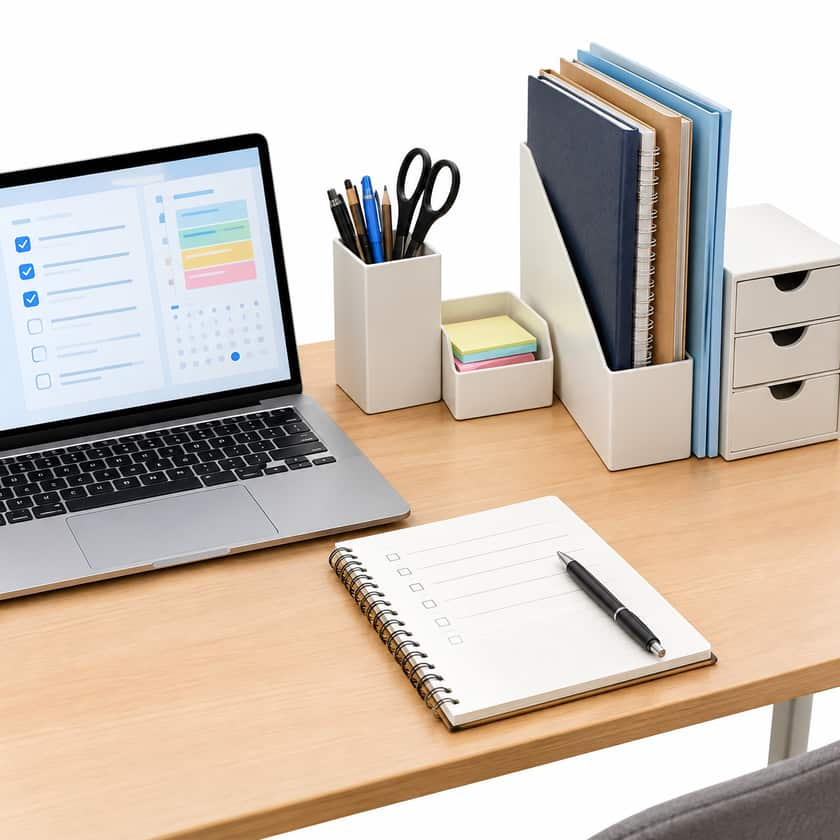
| Vertical Document Sorter | Paper management | Rear corner | Holds folders upright instead of flat piles |
| Under-Desk Drawer | Small tool storage | Underside front edge | Conceals items without using desktop surface |
| Perimeter Cable Channel | Wire containment | Underneath rear lip | Keeps cables from trailing across the work plane |
| Magnetic Wall Rail | Tool suspension | Wall behind desk | Eliminates pen cups and tool jars entirely |
Vertical document sorters are particularly valuable on small desks. Laying paperwork flat creates sprawling stacks that quickly consume half the desk. Standing file folders upright in a narrow three-slot organizer maintains document visibility while occupying only a fraction of the surface depth.
Effective Cable Management Strategies
Nothing clutters a small desk faster than tangled cords. Power cords, display cables, and peripheral connections disrupt clean lines, collect dust, and physically interfere with mouse movements and writing surfaces.
- Consolidate power distribution: Mount a surge protector directly underneath the desktop using heavy-duty adhesive strips or a suspended wire basket. Running a single power cord to the wall outlet significantly reduces wire trails.
- Guide wires along structural legs: Use hook-and-loop ties or adhesive cable clips to route monitor and computer cables along the back edges and down the desk frame legs. Keep cords out of sight and away from leg movement zones.
- Implement desktop cable anchors: Attach small weighted or adhesive cable collars near the rear edge to catch phone and laptop charging tips, preventing them from slipping behind the desk when disconnected.
- Adopt wireless peripherals where appropriate: Switching to a wireless keyboard and mouse removes two permanent cables from your active reach zone, enabling quick repositioning whenever surface requirements change.
Establishing the Daily Reset Routine
Physical systems alone cannot maintain order without a consistent operational habit. A small desk tolerates very little drift; leaving three non-essential items on the surface on Monday creates an unusable work plane by Thursday afternoon.
Implement a five-minute daily shutdown routine at the end of every work session:
- Return all writing instruments to their designated holder or drawer.
- File or recycle loose paper generated during the day's tasks.
- Slide the keyboard and mouse beneath the monitor riser or push them neatly back to open the central workspace.
- Wipe down the surface to clear away dust, smudges, and drink rings.
- Place your primary tool or priority task for tomorrow morning directly in the center of Zone 1.
Starting each morning with an uncluttered, deliberately organized desk reduces friction and allows you to engage with daily tasks immediately.